
bootstrap-dialog is a useful little plugin
bootstrap-dialog is a useful little plugin: A dead-easy popup dialog to work with bootstrap this will replace the javascript ‘alert’ with something more modern and is just as easy to call. A nice way to report your .ajax call results.
bootstrap-dialog is a useful little plugin
A dead-easy popup dialog to work with bootstrap this will replace the javascript ‘alert’ with something more modern and is just as easy to call. A nice way to report your .ajax call results.
My code demo is here.
<!DOCTYPE html>
<html>
<head>
  <link href="//maxcdn.bootstrapcdn.com/bootstrap/3.2.0/css/bootstrap.min.css"
     rel="stylesheet" type="text/css" />
  <script src="//ajax.googleapis.com/ajax/libs/jquery/1.11.1/jquery.min.js">
     </script>
  <script src="//maxcdn.bootstrapcdn.com/bootstrap/3.2.0/js/bootstrap.min.js">
      </script>

  <link href="css/bootstrap-dialog.min.css" rel="stylesheet" type="text/css" />
  <script src="js/bootstrap-dialog.min.js"></script>
  <meta charset="utf-8" />
  <title>Bootstrap Dialog Test</title>
</head>
<body>

  <div style="padding:20px;">

    <p><button type="button" id="btnold">Old Dialog</button></p>

    <p><button type="button" id="btnnew">New Dialog</button></p>

  </div>

  <script>
 $(document).ready(function() {

     $("#btnold").click(function(){
         alert("This is the Old Dialog.");
     });

     $("#btnnew").click(function(){
        BootstrapDialog.show({
            title: 'Your New Dialog',
            message: 'This is the new dialog.',
            buttons: [{
                label: 'Close',
                action: function(dialogItself){
                    dialogItself.close();
                }
            }]
        });
     });

 });
  </script>
</body>
</html>
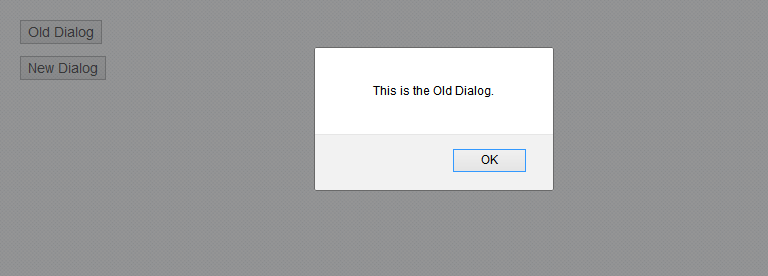
This is the old dialog:
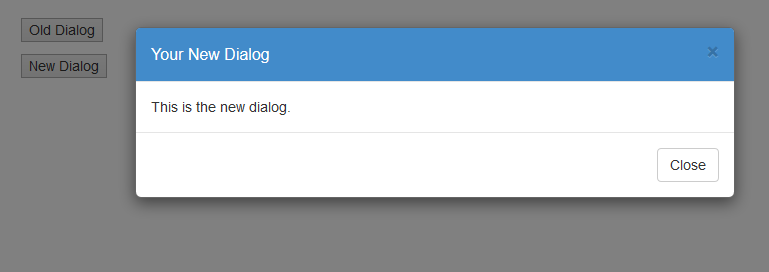
The new style dialog slides gracefully down into place:
Files and more examples from http://nakupanda.github.io/bootstrap3-dialog/